

Inviting a colleague to add a credit card
Don't have access to the company credit card yourself? You can invite a colleague who does to add it for you. Share a secure link, and they can enter the card details without needing a FreightSimple account of their own.
How to invite a colleague
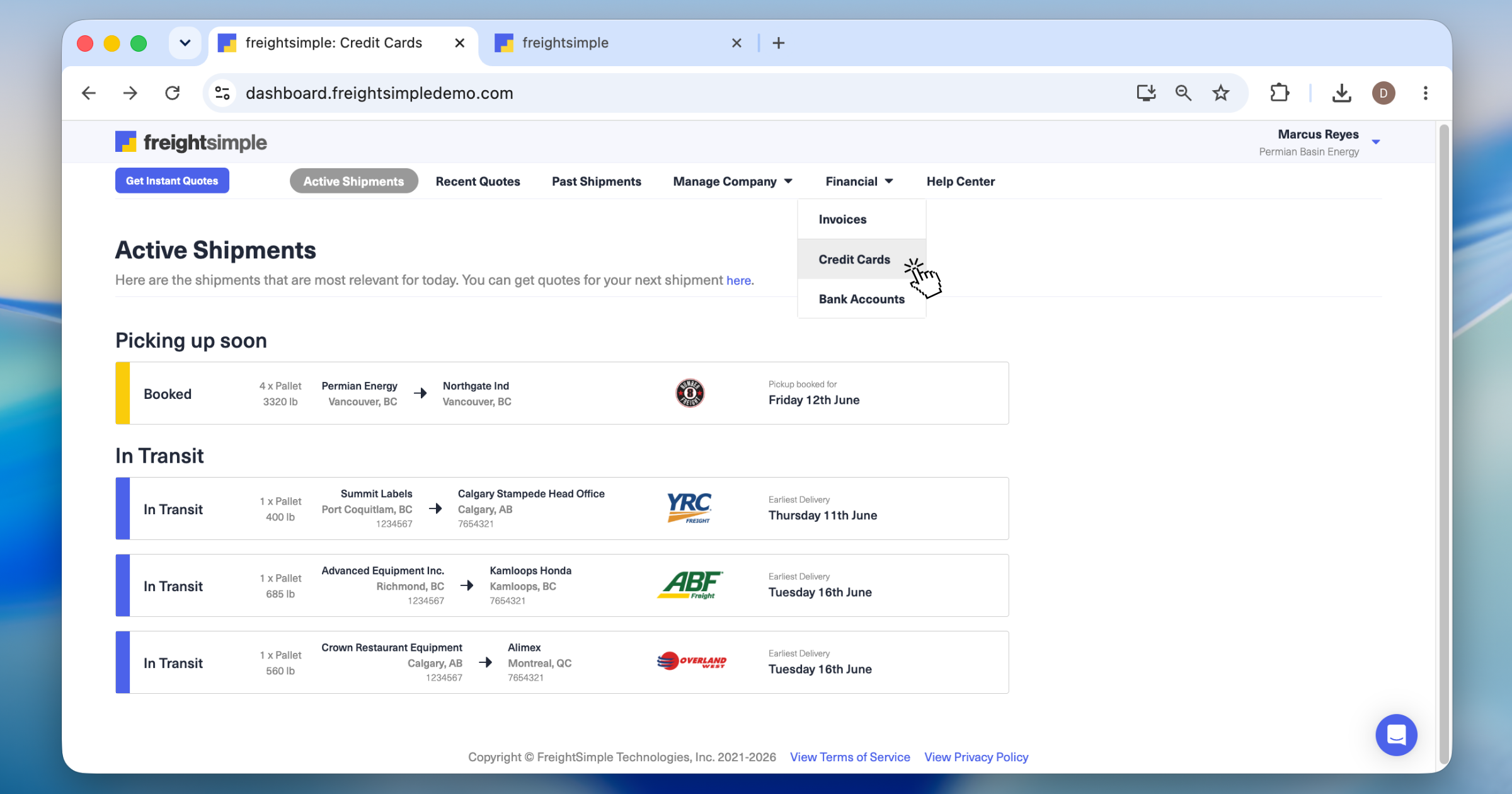
Open Credit Cards
From the top menu, go to Financial → Credit Cards.
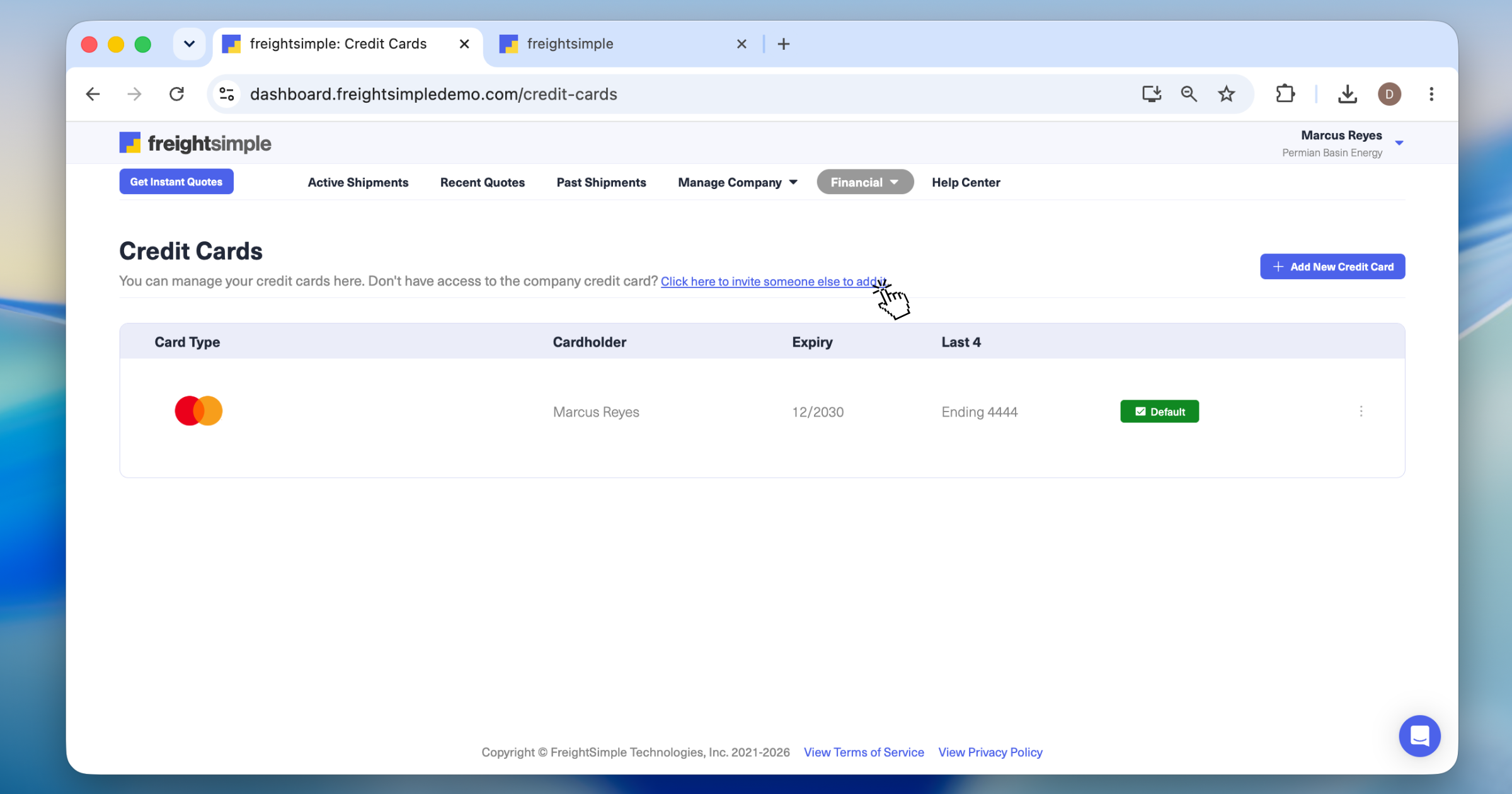
Click the invite link
On the Credit Cards screen, click Click here to invite someone else to add it.
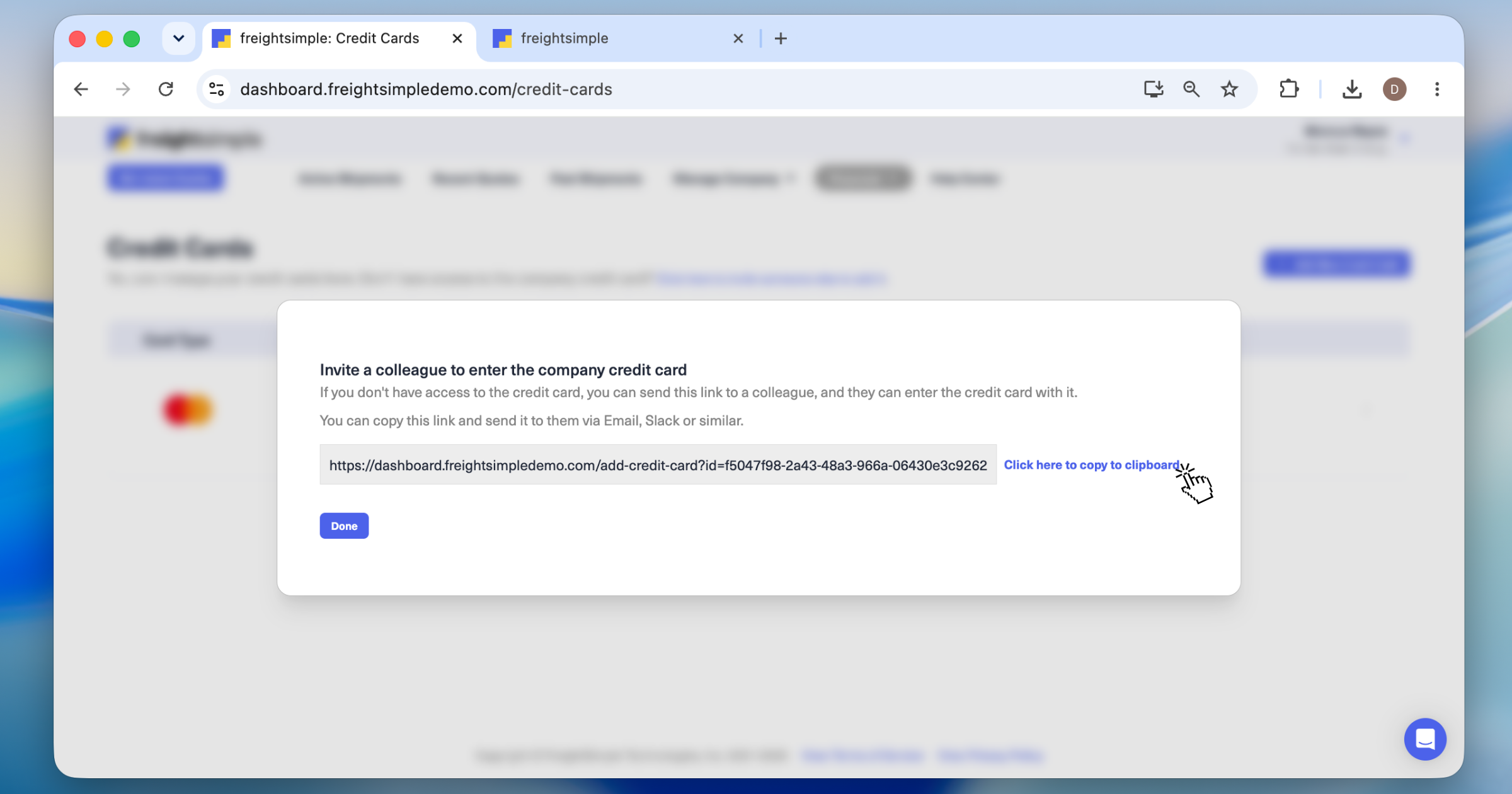
Copy and share the link
A popup appears with a secure link. Copy it, then share it with your colleague however works best: by email, or through a chat app like Slack or Microsoft Teams.
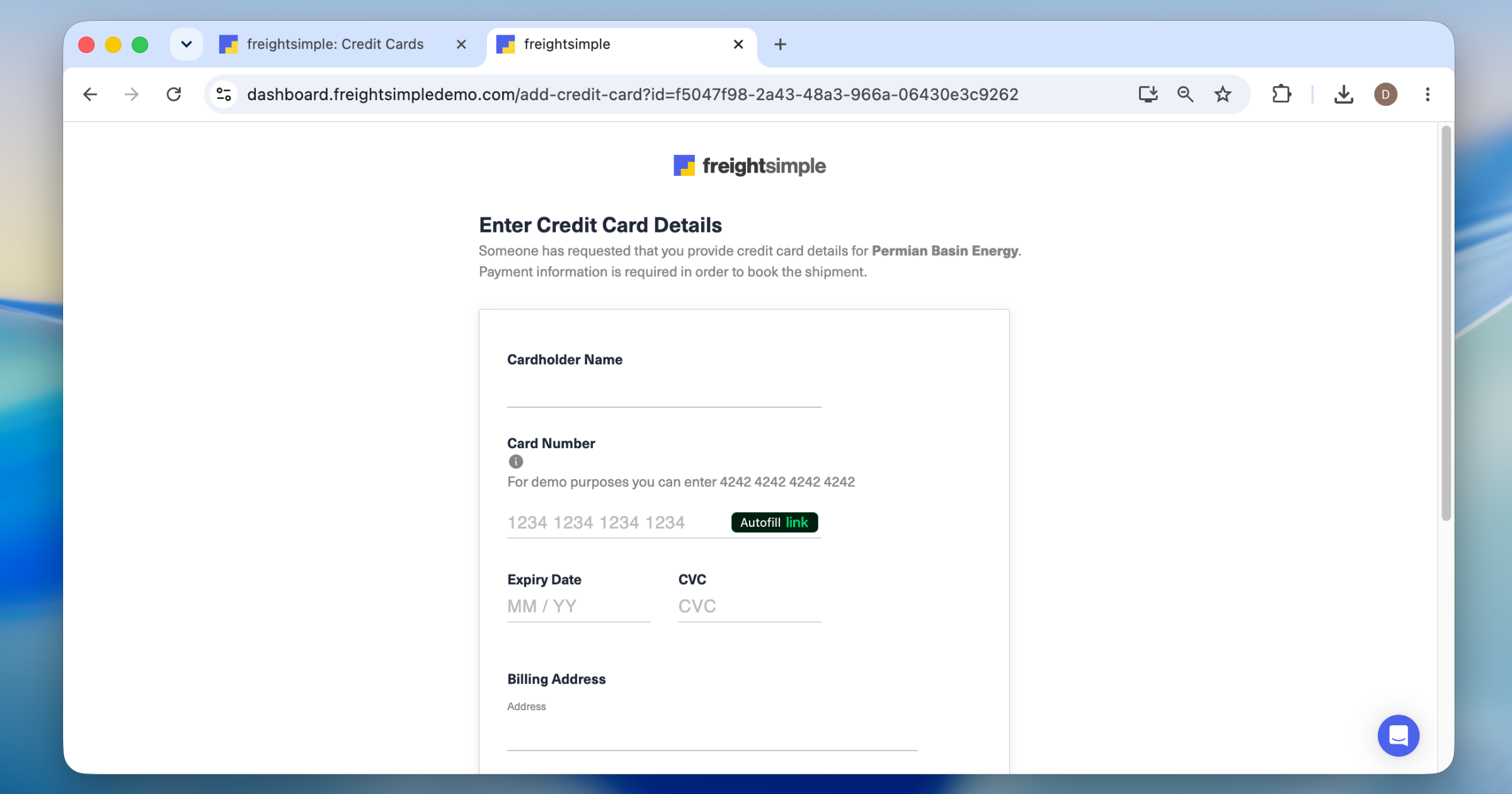
Your colleague adds the card
They open the link and are prompted to securely enter the credit card details.
Related articles
Was this article helpful?
Thanks for letting us know.
What was missing?
Sorry about that. Our team can answer it directly.
Find who to contact