

Share tracking information
If you have other parties who you want to keep informed about the progress of a shipment, you can use FreightSimple's Share Tracking feature.
What the shared tracking page shows
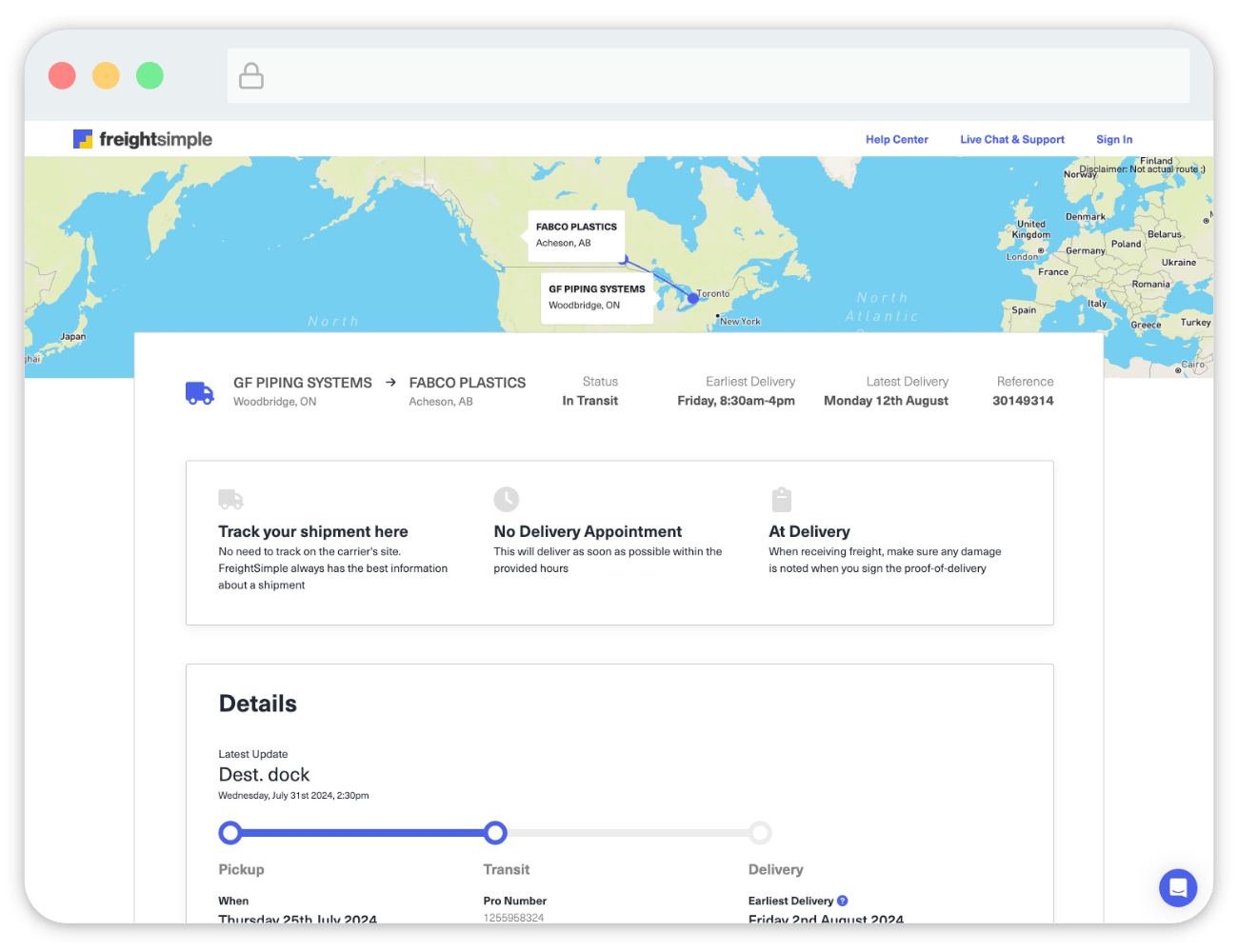
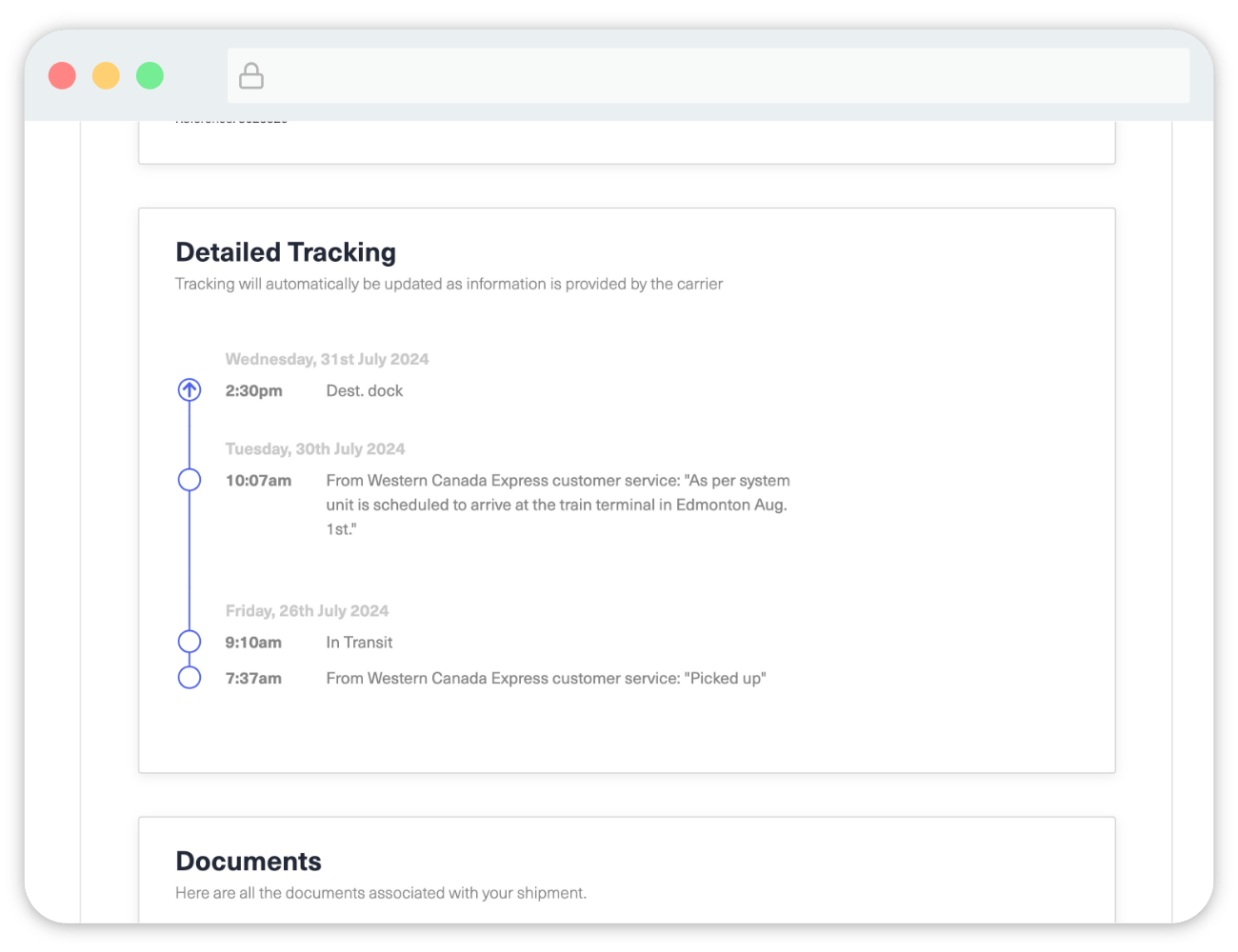
The Shared Tracking page contains only the information you would expect to provide to someone outside of your company who needs to track the shipment. It does not give them access to your documents or receipts, for example.
Share a tracking link
-
Open the Share link on your shipment
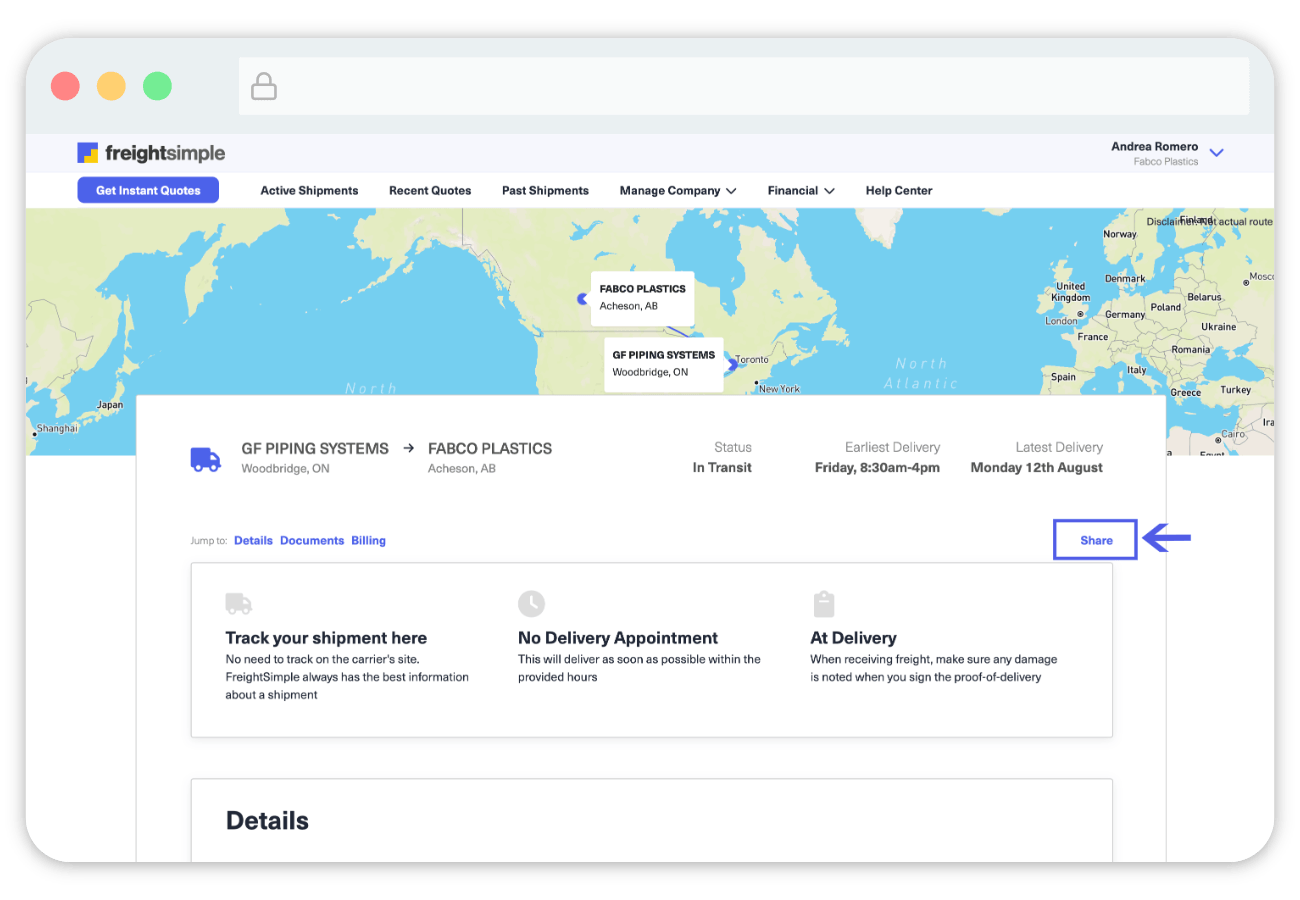
Go to your shipment, then click the Share link on the right hand side.
-
Copy the shareable link
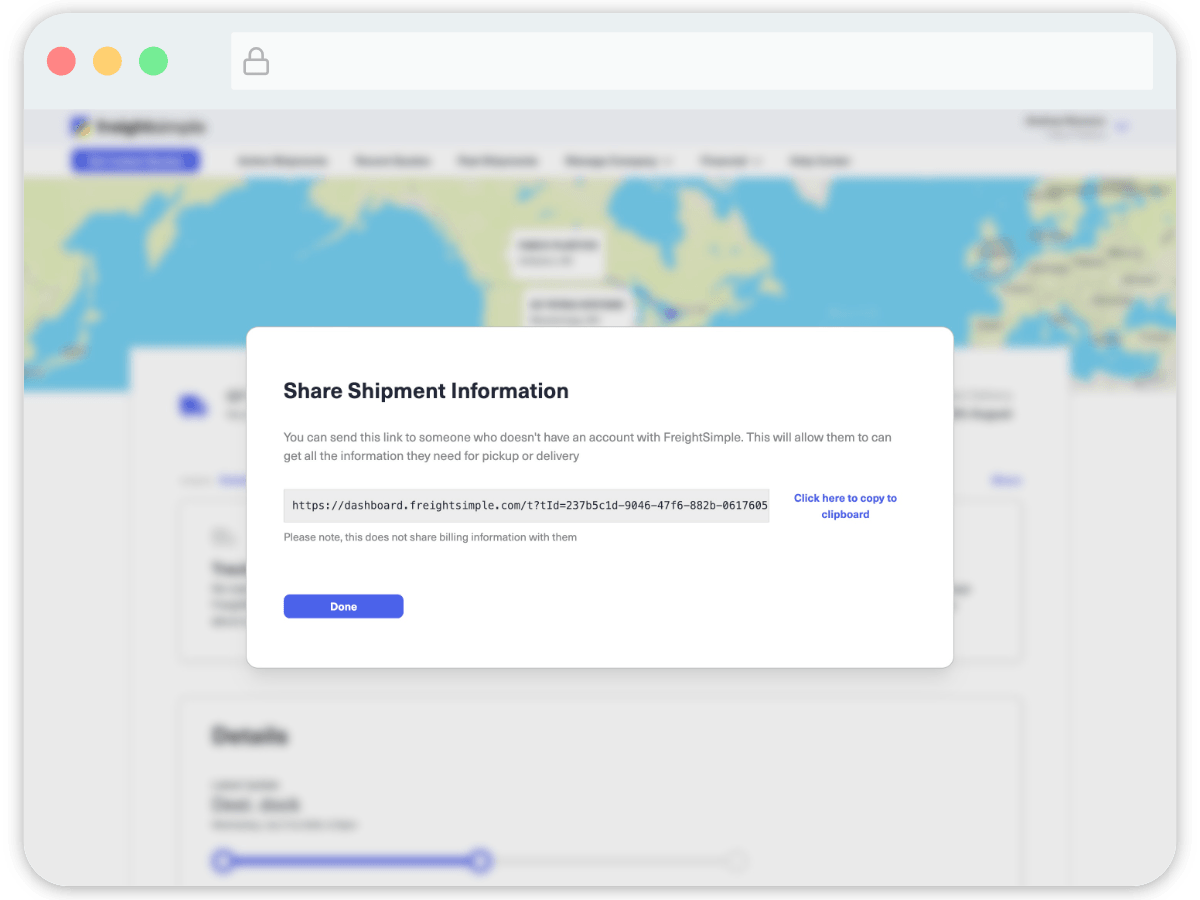
A popup appears containing a link that can be shared.
-
Send the link to whoever needs it
Send that link to whoever you want to see the tracking information. They will see something like this, showing key tracking information.
Was this article helpful?
Thanks for letting us know.
What was missing?
Sorry about that. Our team can answer it directly: chat from the dashboard, email support@freightsimple.com, or call +1 (604) 200-2500.
Find who to contact