

Reset your password
Locked out? Get a reset link in your inbox in under a minute.
Steps to reset your password
-
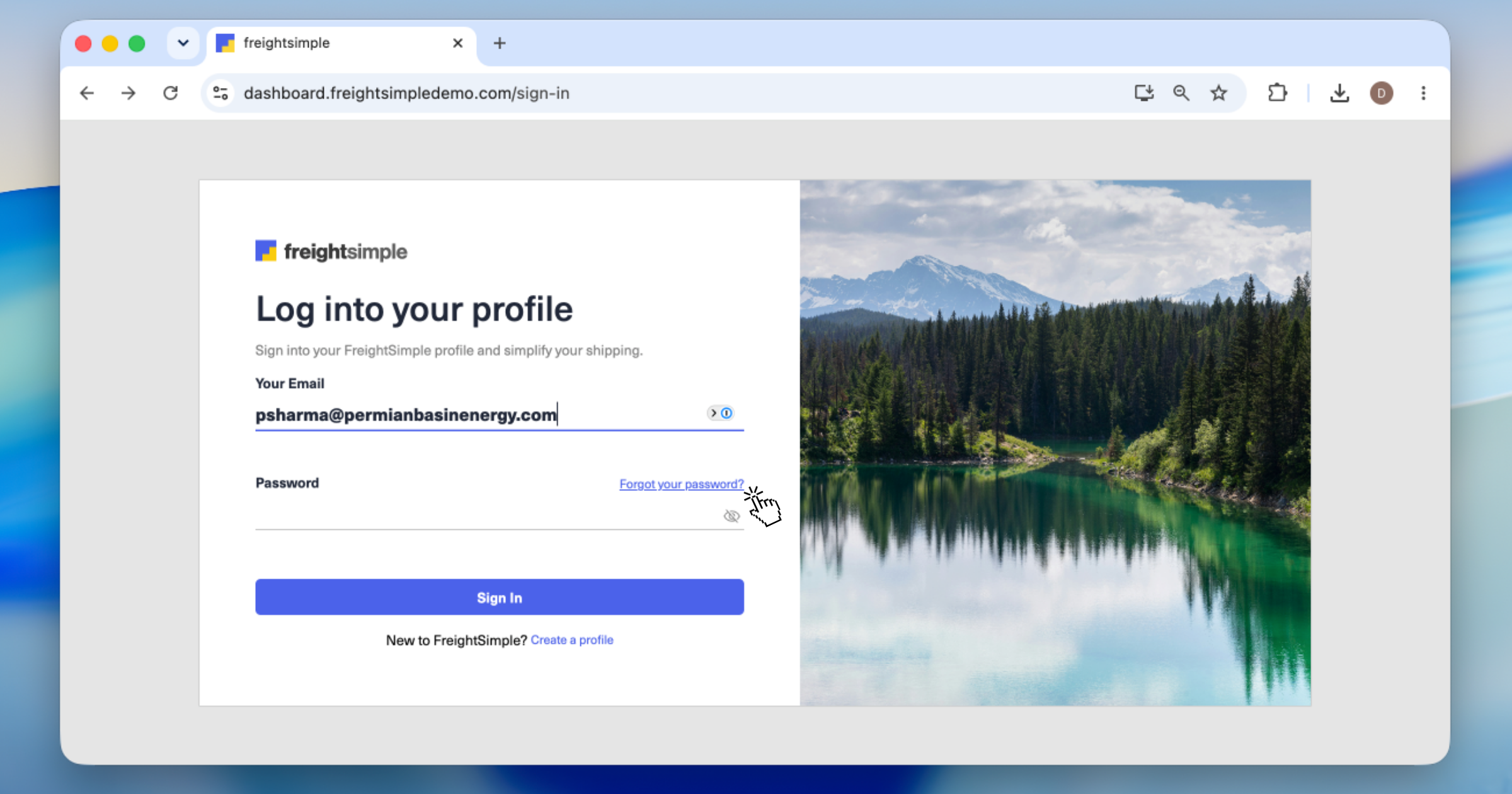
Enter your email
On the sign-in page, click Forgot your password?, then type the email address for your account.
-
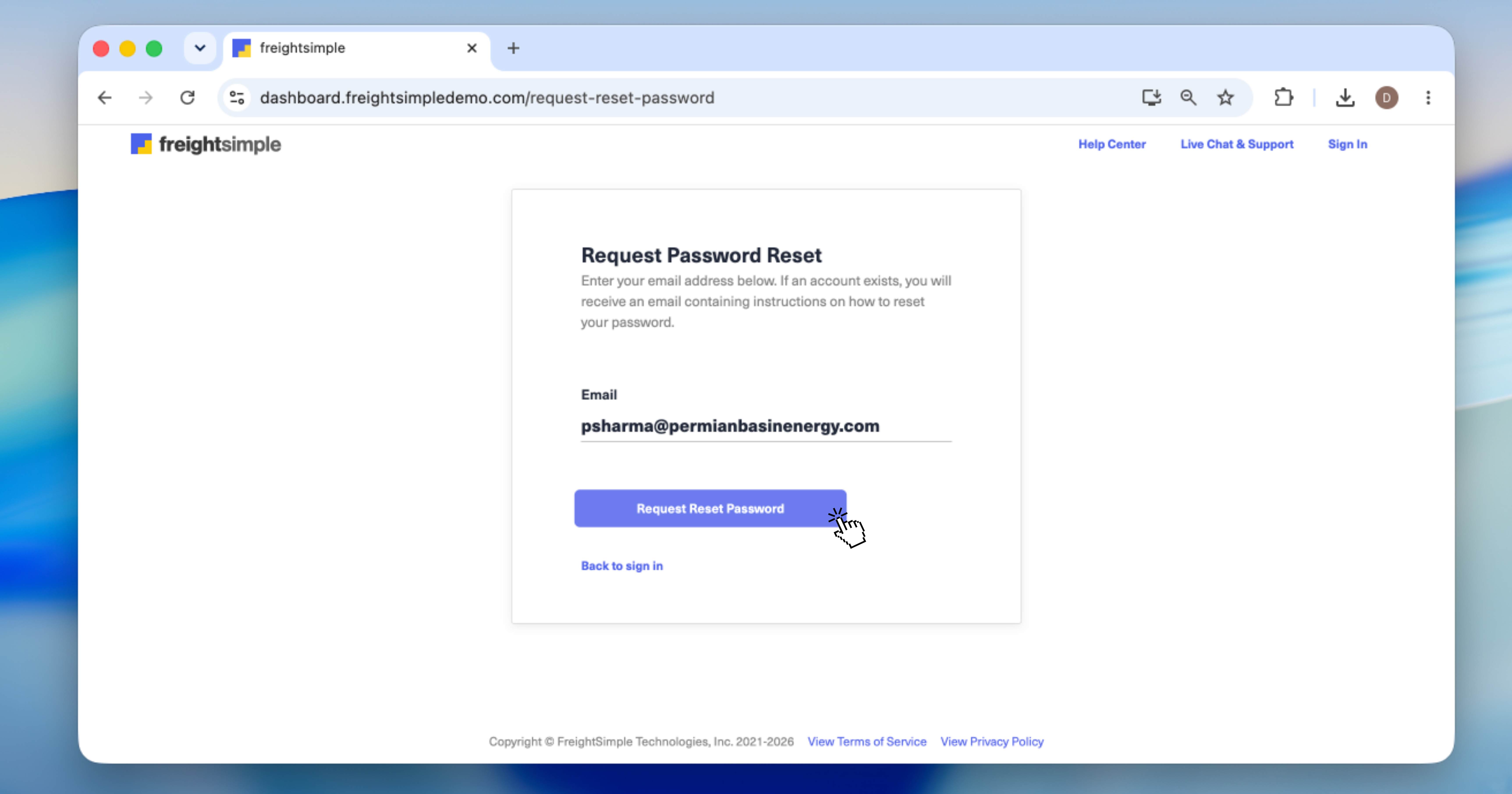
Request the reset link
Check that the email shown is correct, then click Request Reset Password.
-
Check your inbox
Open the reset email from FreightSimple and follow the link.
-
Set a new password
Choose a new password of at least 8 characters, and you're back in. A password manager makes this easy.
Didn't get the email?
- Look in your spam or junk folder. Reset emails sometimes land there.
- Use the right address. Request the link with the email your account was created with.
- Give it a couple of minutes. Email can take a moment to arrive.
- Still nothing? Email support@freightsimple.com and we'll help you back in.
Remembered it after all? Sign in here.
Was this article helpful?
Thanks for letting us know.
What was missing?
Sorry about that. Our team can answer it directly.
Find who to contact