

Change pickup date or hours
Need to adjust your shipment's pickup date or hours? You can update them yourself after booking. Here's how.
How to change your pickup date or hours
-
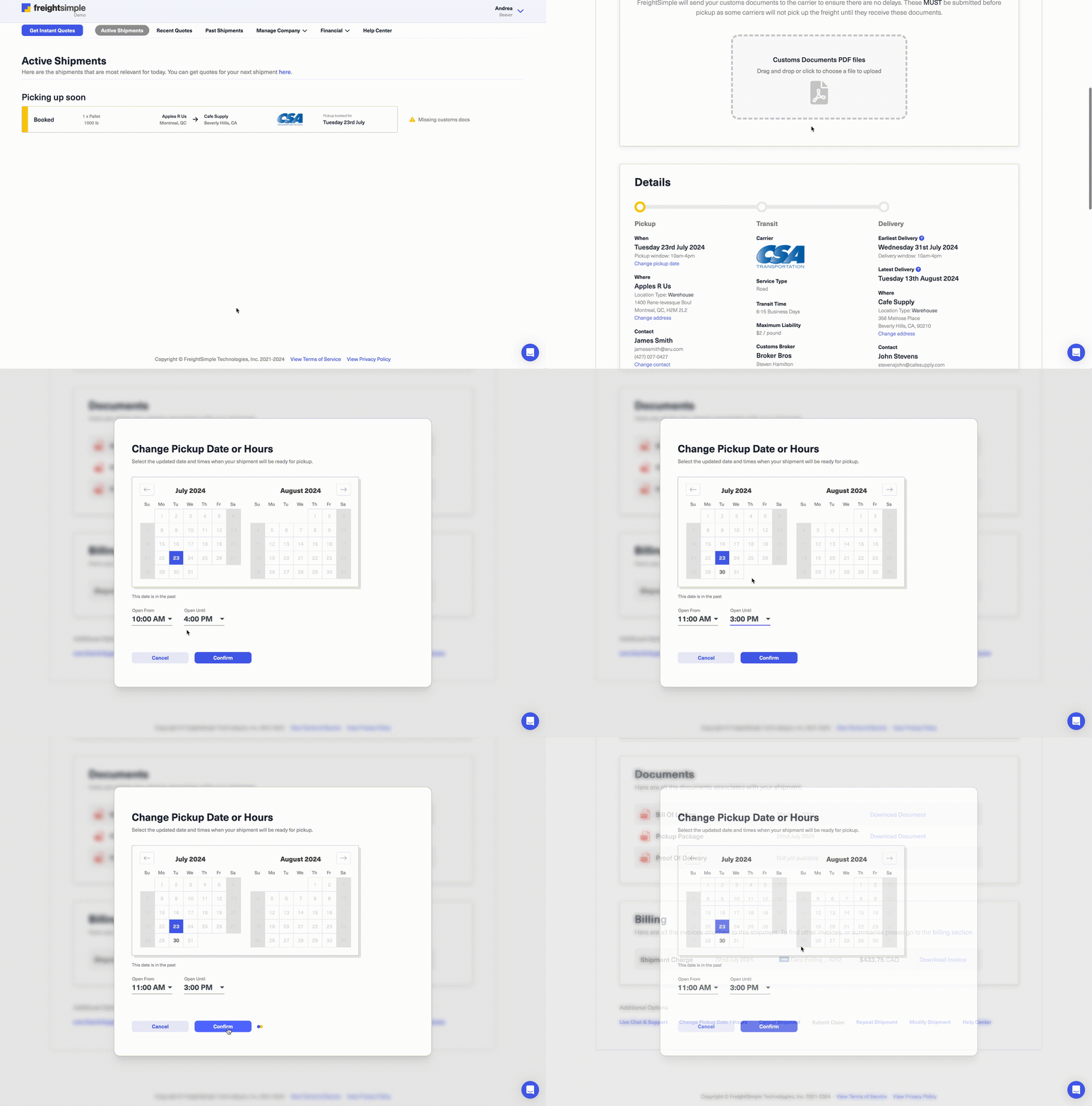
Open your shipment details
Log in to your FreightSimple account, find the shipment you want to update, and scroll to the Pickup Date/Hours section.
-
Click "Change Pickup Date/Hours"
Select the option to modify the current pickup date or time.
-
Choose your new date or hours
Pick your preferred pickup date and hours, then click Confirm to save.
-
Get your confirmation
You'll receive an email confirming the update once the carrier has processed it.
Good to know
- Timeframe. Pickup date and hour changes can only be made within one week of your original pickup date.
- Need help? If you need to make a change outside that window, email support@freightsimple.com and we'll sort it out with you.
Questions? Chat with us from the dashboard, email support@freightsimple.com, or call +1 (604) 200-2500.