

Changing the broker on a shipment
The broker on a shipment is a default, not a fixed choice. You can change it to any of your saved brokers, before you book, or after.
Before you book
On your quotes and review screen, the customs broker shows with a Change Broker link beside it. Click it, and depending on how many brokers you've saved:
- You can pick a different saved broker from the dropdown.
- Modify the selected broker's details.
- Add a new customs broker, if the one you need isn't saved yet.
This changes the broker for this shipment only, your preferred broker stays as it is. Before booking, you can also type in a brand-new broker freehand, and we'll save it to your account for next time.
After you book
-
Open your shipment
In the Details section, find the Customs Broker heading (middle column) with the broker's details underneath.
-
Click "Change Broker"
The Change Customs Broker window opens.
-
Pick your broker
Choose one of your saved brokers from the dropdown. You can also Modify the selected broker's details, or Add new customs broker. Click Done.
-
Check your new bill of lading
If the shipment hasn't been picked up yet, we regenerate your bill of lading with the new broker and show it to you right away.
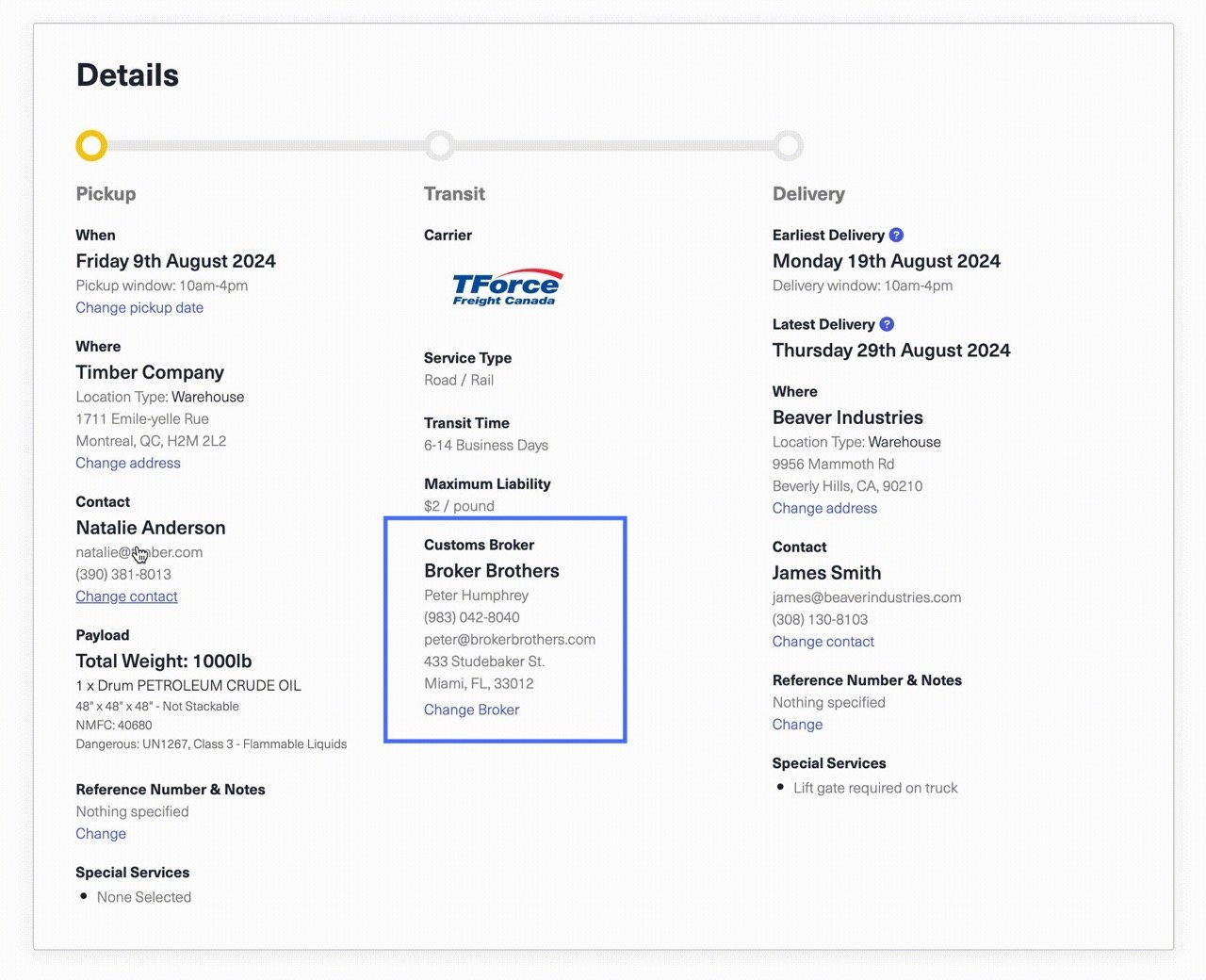
After you book, you pick from your saved brokers (you can’t free-type a new one here, use Add new customs broker to add one). And note: using Modify here updates that broker for your whole company, not just this shipment.
Give the new bill of lading to the driver at pickup. If the shipment hasn’t been picked up yet, we generate a new bill of lading and email it to whoever booked the shipment straight away, it doesn’t wait on the carrier. Make sure the driver has the updated copy at pickup. Once the shipment is in transit we still update the bill of lading, but there’s no screen and no email, so open the documents on your shipment if you need the new copy.
When you can change the broker
You can change the broker at any point until the shipment is delivered, cancelled, or marked lost, including while it's in transit. There's no time limit tied to your pickup date.
Good to know
- Your customs documents stay as they are. Changing the broker doesn't require re-uploading customs documents. (If the new broker needs different paperwork, contact us.)
- We notify the carrier when it matters. If your customs documents have already gone across, if your freight is in transit, or if it's your pickup day, we let the carrier know about the change and send them the updated bill of lading.
- Already picked up? The driver is carrying the old bill of lading. Email support@freightsimple.com and we'll make sure the carrier and your new broker connect.
Was this article helpful?
Thanks for letting us know.
What was missing?
Sorry about that. Our team can answer it directly.
Find who to contact