

Repeating a shipment
Sometimes you have a shipment that is the same, or very similar, to one you have done before. FreightSimple makes it easy to repeat it.
How to repeat a shipment
-
Open the shipment you want to repeat
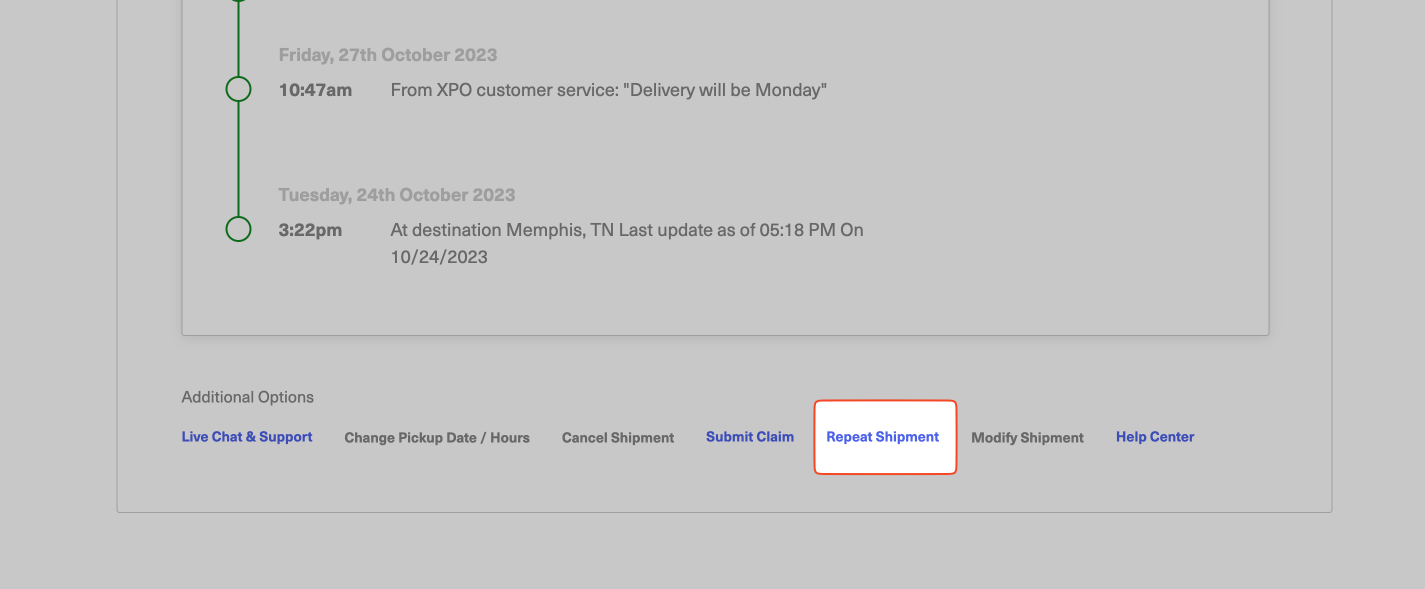
In your dashboard, navigate to the shipment you want to repeat, then scroll to the bottom of the page.
-
Select Repeat Shipment
You will see an option labelled Repeat Shipment. This takes you to the New Quote screen with all the information pre-filled to repeat this past shipment.
-
Adjust anything that changed
If you have any changes you need to make, you can adjust them on the quote screen really easily.
Was this article helpful?
Thanks for letting us know.
What was missing?
Sorry about that. Our team can answer it directly: chat from the dashboard, email support@freightsimple.com, or call +1 (604) 200-2500.
Find who to contact