

Adding a credit card
FreightSimple offers a variety of payment options to suit your business. You can pay by Canadian Direct Debit or credit card, and we offer credit terms on a customized basis.
Learn more about how FreightSimple handles payments.
Why pay by credit card
Paying by credit card is secure and convenient, and lets your company take advantage of all the standard credit card benefits and protections. It also allows FreightSimple to get the best rates with our carriers, passing those savings on to you.
Two ways to add a card
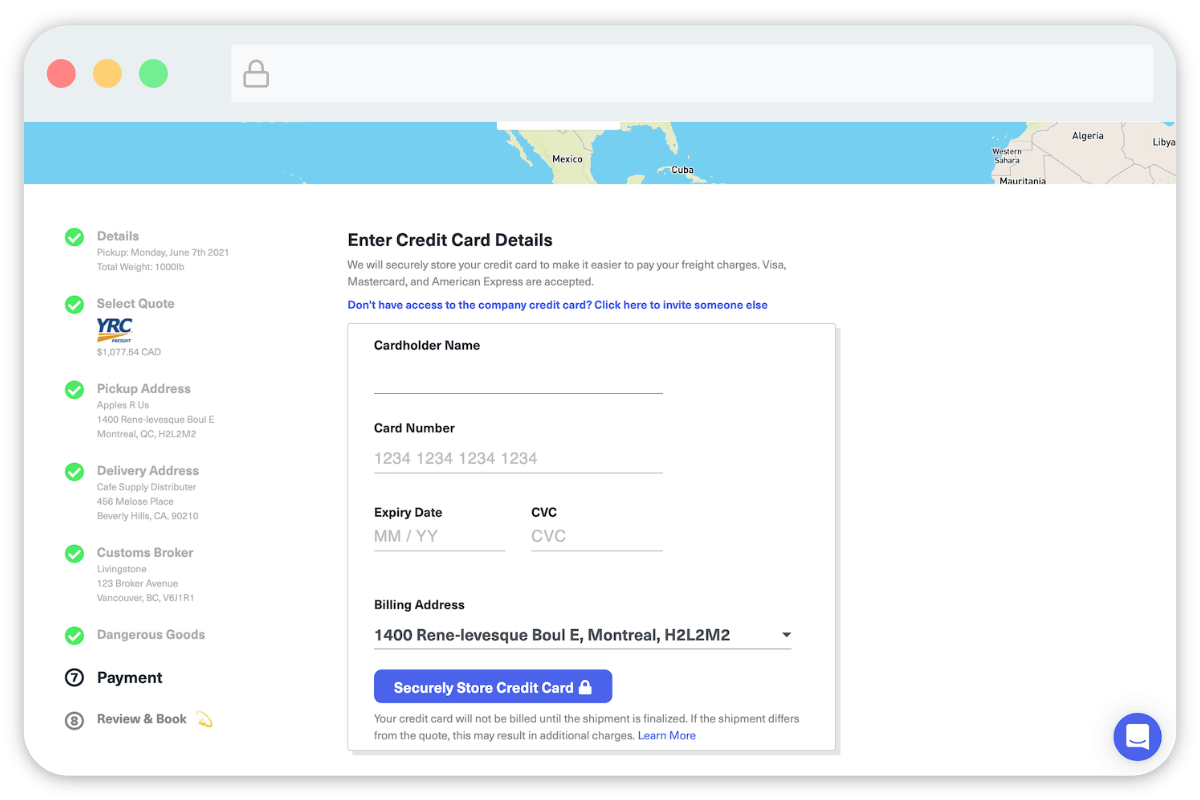
- Add it yourself. Enter the company credit card details directly.
- Invite a colleague. Send someone else a link so they can add the card for you.
Add the card yourself
To add the credit card yourself, fill in the details.
Invite a colleague to add it
-
Open the invite popup
Click "Don't have access to the company credit card? Click here to invite someone else".
-
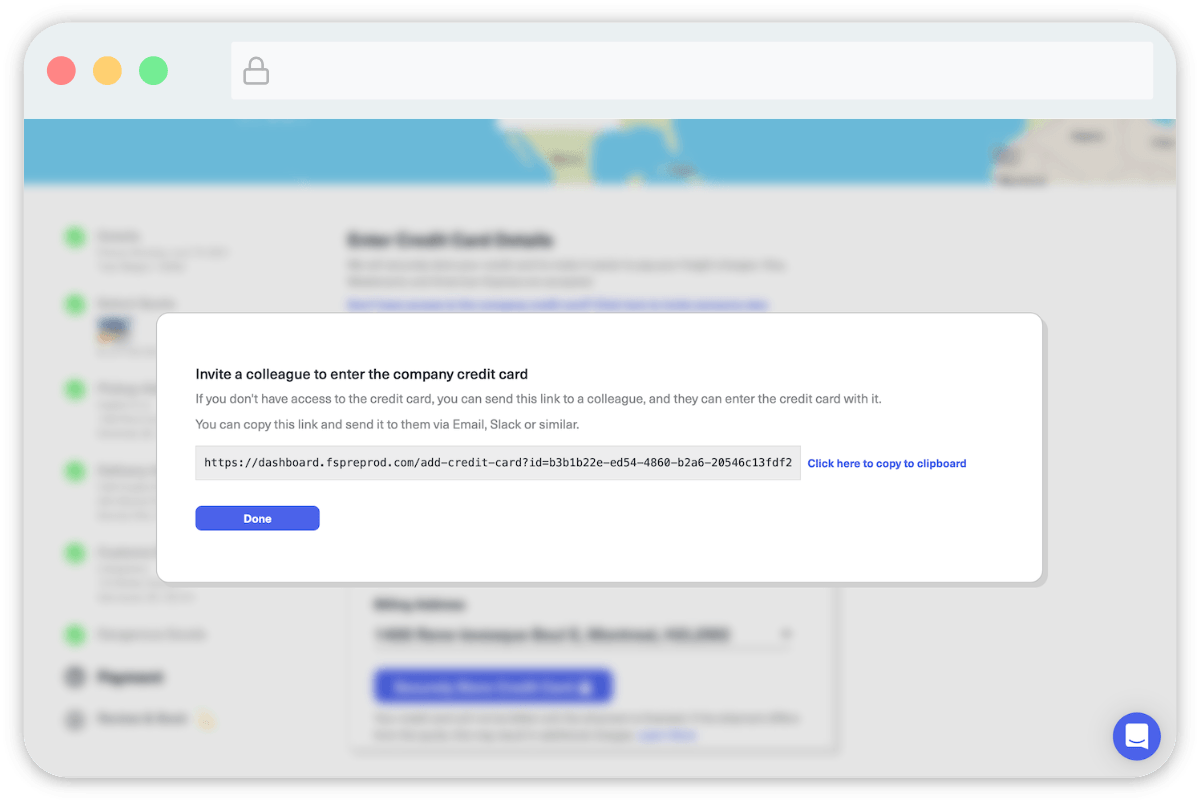
Send the link to your colleague
A popup appears with a link. Copy it and send it to your colleague by email, text message, or a tool like Slack or Microsoft Teams.
-
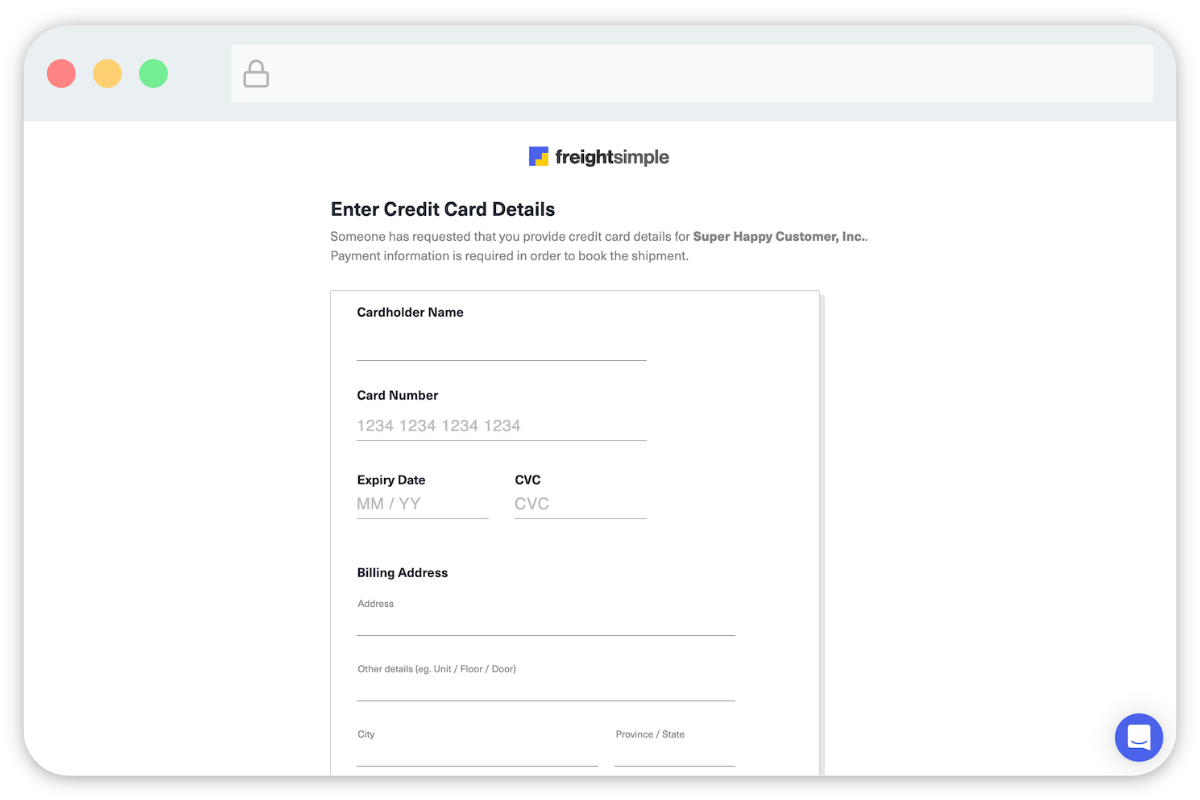
Your colleague enters the card
When your colleague clicks the link, they see a screen similar to this where they can enter the company credit card details.
-
Finish booking
After your colleague submits the details, you can finish booking the shipment.
Using multiple cards
You can have multiple cards saved to your account and choose which one to pay with when booking your shipments.
Was this article helpful?
Thanks for letting us know.
What was missing?
Sorry about that. Our team can answer it directly: chat from the dashboard, email support@freightsimple.com, or call +1 (604) 200-2500.
Find who to contact