

Managing customs brokers
You probably use just a few customs brokers, often one for freight heading into Canada and another for freight heading into the United States. Save them once and FreightSimple fills them in for you every time you book a cross-border shipment.
Self-clearing is not supported. All cross-border freight must be cleared through a licensed customs broker. Customs clearance is your responsibility as the booker, FreightSimple handles document relay and status tracking only.
Where to find your brokers
Open the Manage Company menu at the top of your dashboard and choose Customs Brokers. This page lists every broker your company has saved, sorted alphabetically. Everyone on your account sees the same list, and any change you make here applies to the whole company.
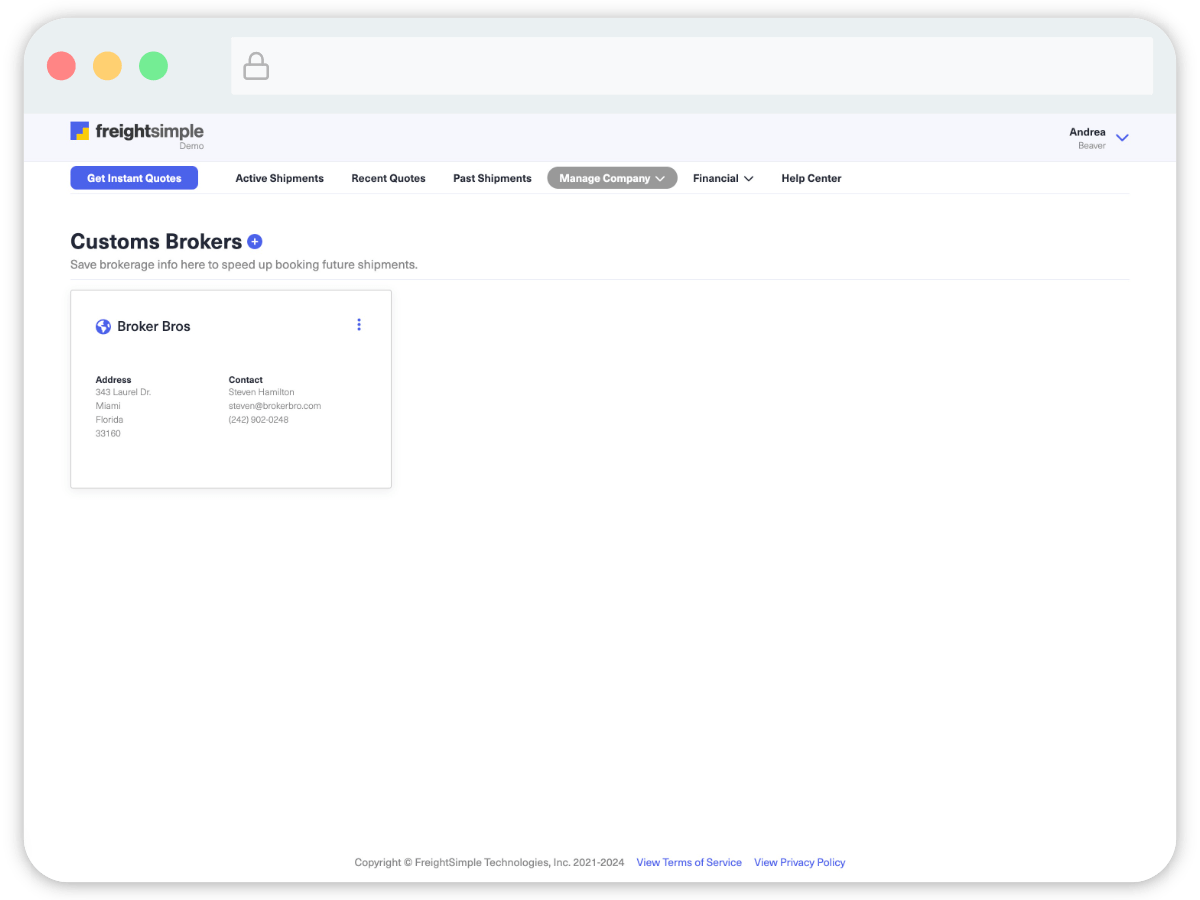
Adding a broker
Click Add New Customs Broker at the top right of the page. It opens a two-step form.
-
Address Details
Enter the broker's business name, account number, and full address.
- Customs Broker Business Name (required, at least 4 characters)
- Customs Broker Account Number (required)
- Customs Broker Address (required)
- City, State or Province, Postal Code (required)
- Other details like Unit or Floor (optional)
Click Next.
-
Contact Details
Enter how the carrier reaches your broker.
- Contact Name (required)
- Phone number (required, 10 digits)
- Email Address (required)
- Ext. (optional)
Click Save. Your new broker appears in the list right away and is ready the next time you book.
You’ll need the broker’s account number to save them, and it’s required. If you don’t have it handy, ask your broker, they’ll have it on file.
Booking saves brokers too. If you enter broker details while booking a cross-border shipment, we save that broker to your company automatically, so you won’t have to enter it again. That’s why the customs broker step disappears from booking once you’ve done it once.
Editing a broker
Broker details change, a new contact, a new phone number, a different account number. Keep them current, because the carrier reaches your broker using exactly what you have saved here.
-
Find the broker
Open the Customs Brokers page and locate the broker you want to update.
-
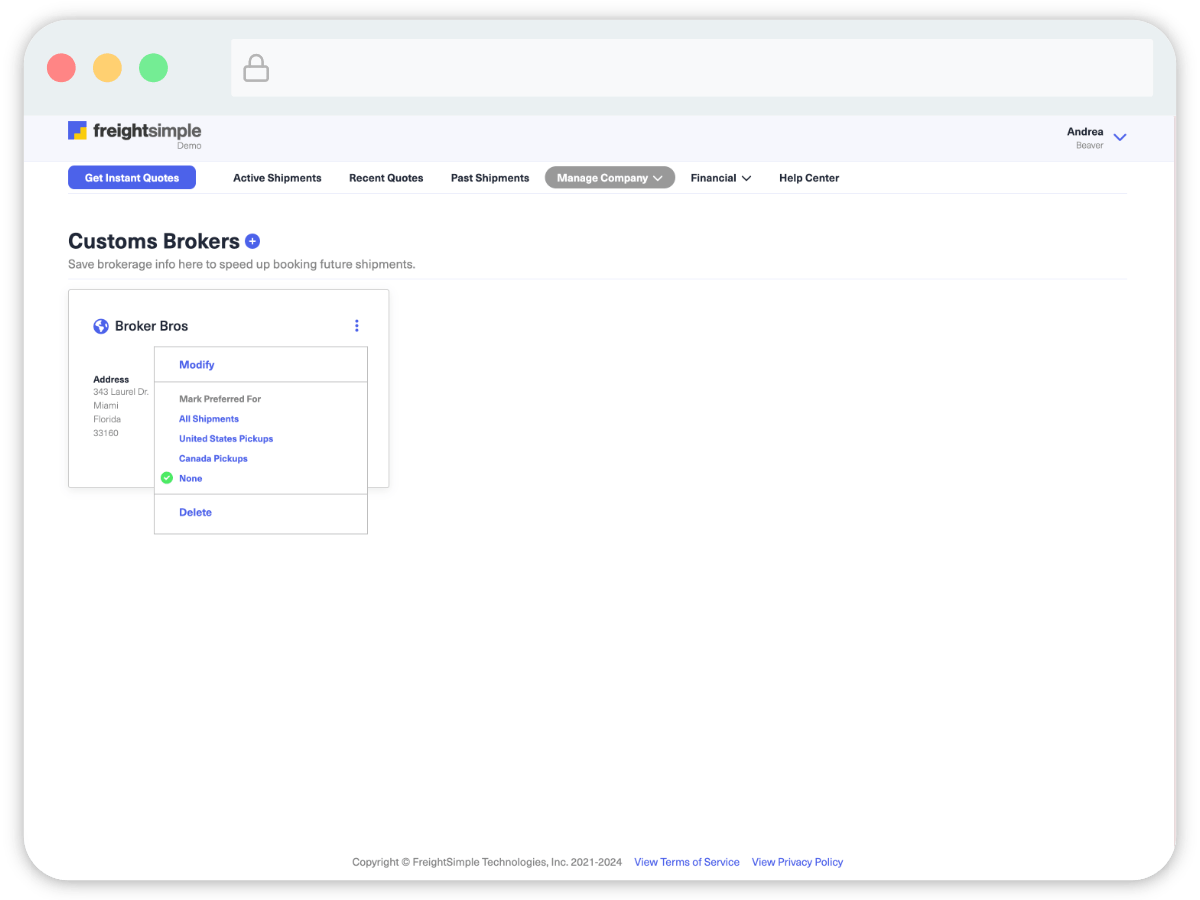
Open the three-dot menu
It sits at the top right of the broker's card.
-
Choose Modify
Update the address details, click Next, update the contact details, then click Save.
Editing a saved broker does not change shipments you’ve already booked. Each shipment keeps the broker details it was booked with. To change the broker on a shipment you’ve already booked, see Changing the broker on a shipment.
Deleting a broker
From the same three-dot menu, choose Delete and confirm. The broker is removed for everyone at your company. Shipments already booked with that broker aren't affected.
Deleting a broker clears any preference it held. If the broker you delete was marked as preferred and you still have other brokers saved, booking won’t start asking you for broker details again. It quietly fills in one of your remaining brokers instead, and not necessarily the one you would have chosen. Set a new preference after deleting. See Your preferred broker.
A few things to know
- The account number is required. You can't save a broker without it.
- Entering a broker while booking? It can't match your pickup or delivery details. You can't use your own company as the broker, booking blocks matching names, addresses, phones, or emails. Saving a broker here on the Customs Brokers page doesn't run that check, because there's no shipment to compare it against.
- A saved broker is a template. It fills in future bookings. Editing or deleting it never rewrites a shipment you've already booked.
Was this article helpful?
Thanks for letting us know.
What was missing?
Sorry about that. Our team can answer it directly: chat from the dashboard, email support@freightsimple.com, or call +1 (604) 200-2500.
Find who to contact