

Switching between linked organizations in FreightSimple
If you manage multiple companies in FreightSimple, you can switch between them without logging out.
For privacy and security reasons, this feature must be enabled by our team. Once enabled, these users can jump between linked companies.
Request access
Before you can switch between companies, you must request that your companies be linked.
-
Contact us
Reach out via live chat (bottom-right of the home page screen) or email us at support@freightsimple.com.
-
Tell us what to link
Provide the name of each company you want linked, along with the names and email addresses of the users you want to grant access to.
-
We enable it
Our team will verify your request and enable the linking.
Switching between organizations
Once the linking is enabled, you can switch organizations right from your dashboard.
-
Log in
Sign in to FreightSimple.
-
Open the menu
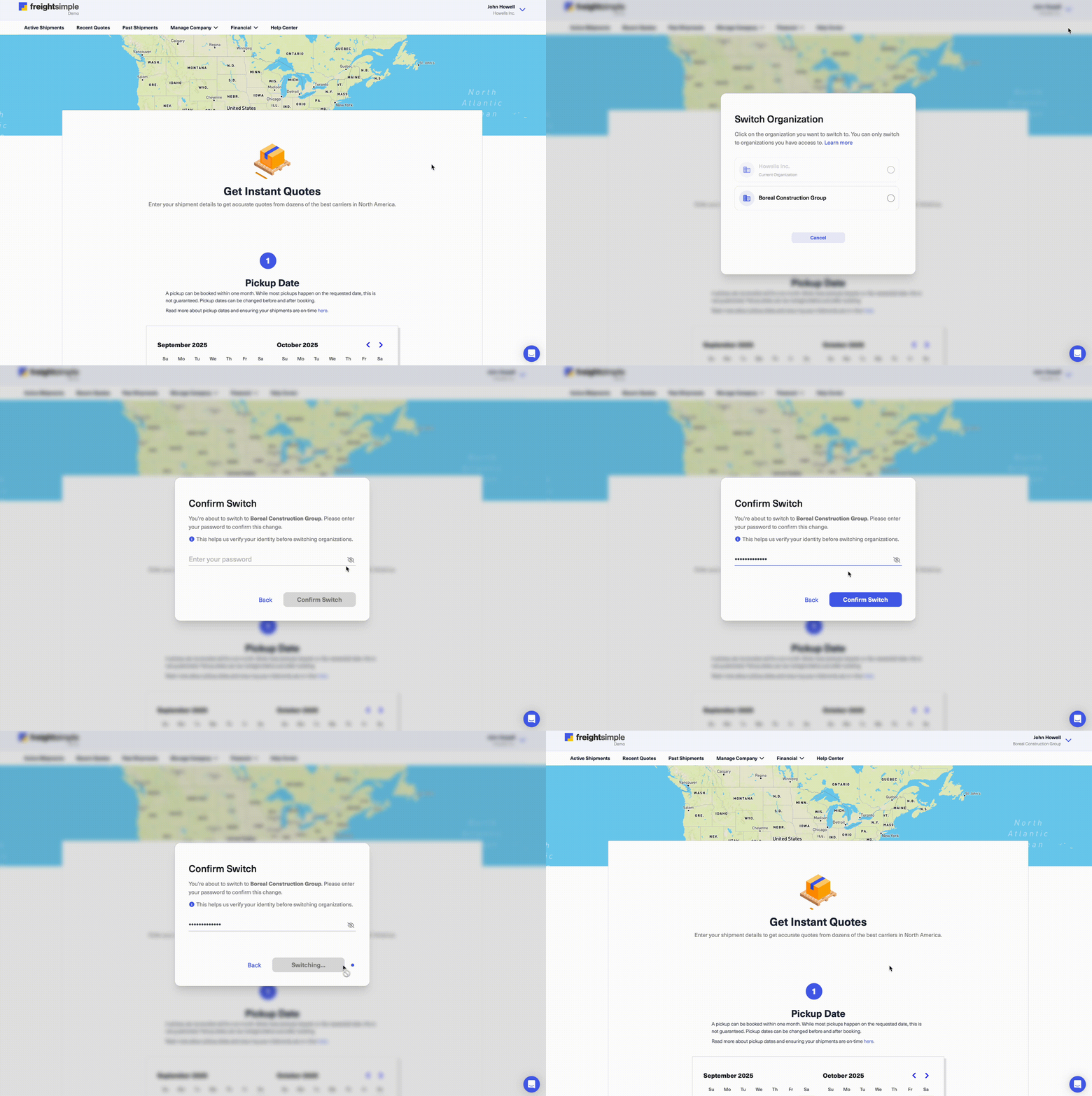
Go to the top-right corner of your dashboard and hover over your username. Two options will appear: Switch Organization and Sign Out.
-
Choose Switch Organization
Click Switch Organization. A new screen will appear with a list of all your linked companies.
-
Pick a company
Select the company you want to switch to, then enter your password to confirm.
-
You're done
You'll now be in the selected company's dashboard.
Tips and best practices
- Super Users only. Only the designated Super User(s) should request linking or manage user access.
- Security first. We verify each request to keep your data secure.
- Need help? If you're unsure about who should have access, contact our support team before making changes.
Was this article helpful?
Thanks for letting us know.
What was missing?
Sorry about that. Our team can answer it directly: chat from the dashboard, email support@freightsimple.com, or call +1 (604) 200-2500.
Find who to contact