

Share pickup information
If you are not the pickup contact, you can share the pickup details with the person who is. They can download the pickup package, bill of lading, and your customs documents, and see everything the driver needs to collect the shipment.
How to share the link
-
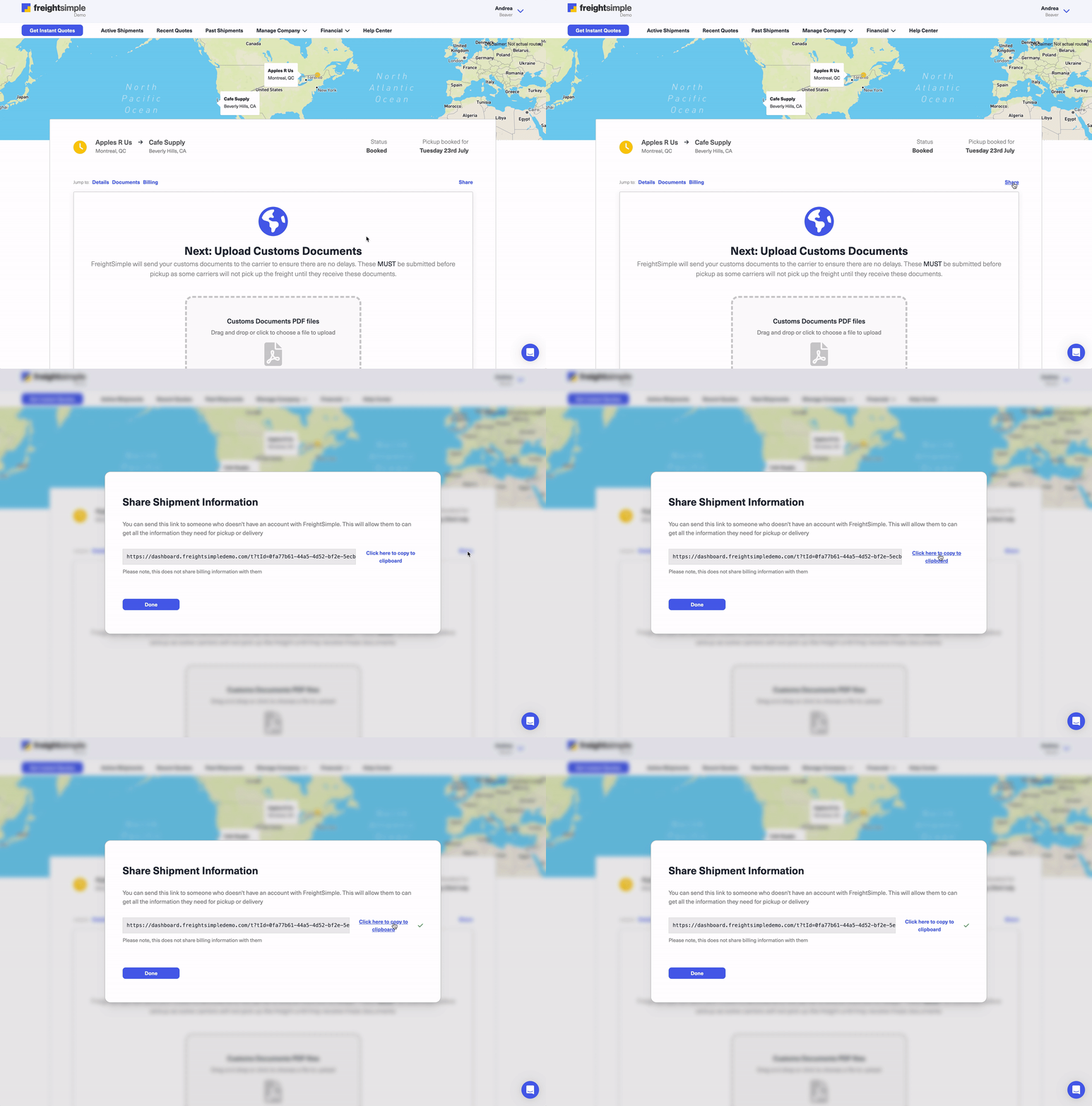
Open the Pickup Information screen
Go to your shipment, then click the Share link on the right hand side.
-
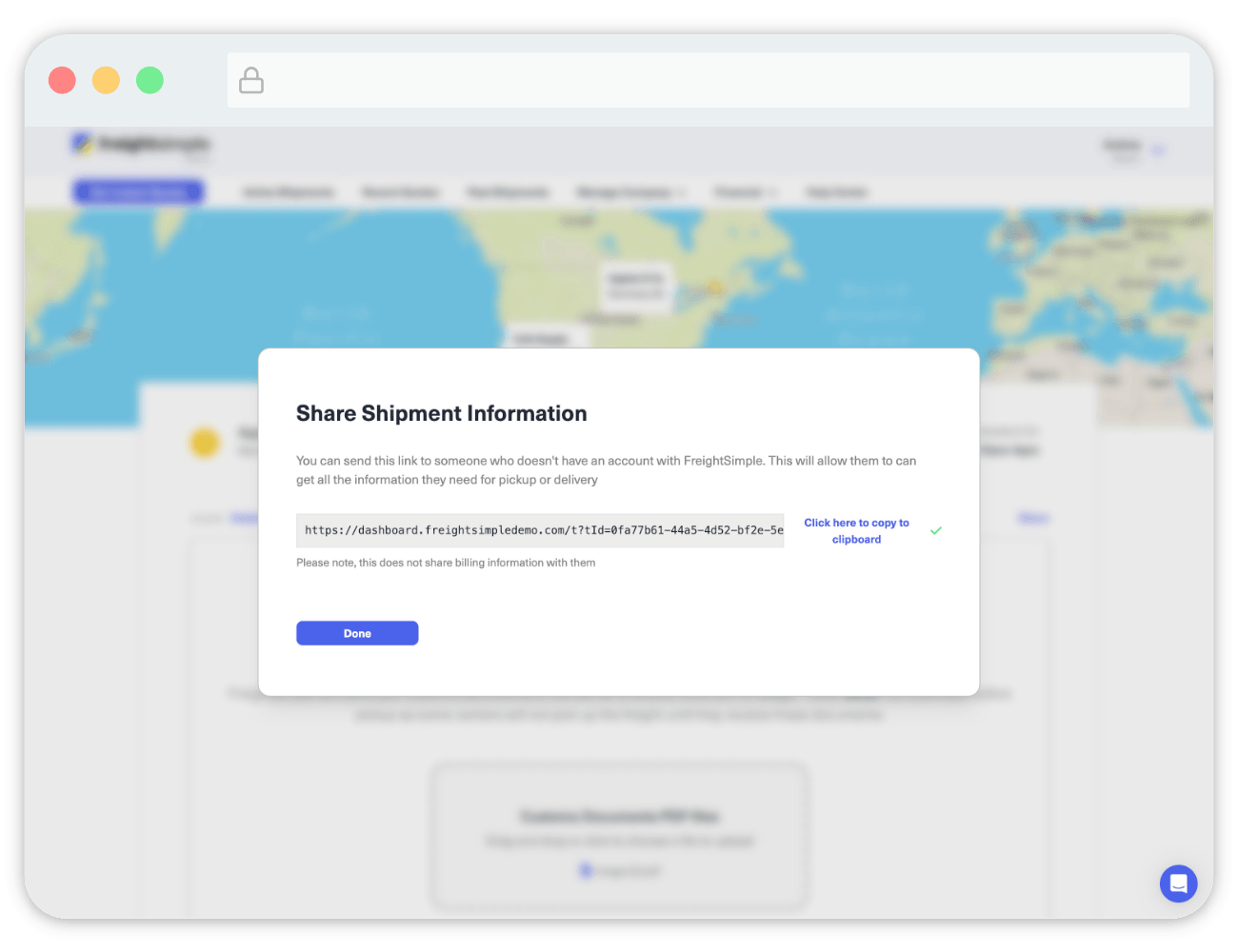
Copy the shareable link
A popup appears with a link to the Pickup Information screen that you can share.
-
Send the link to your pickup contact
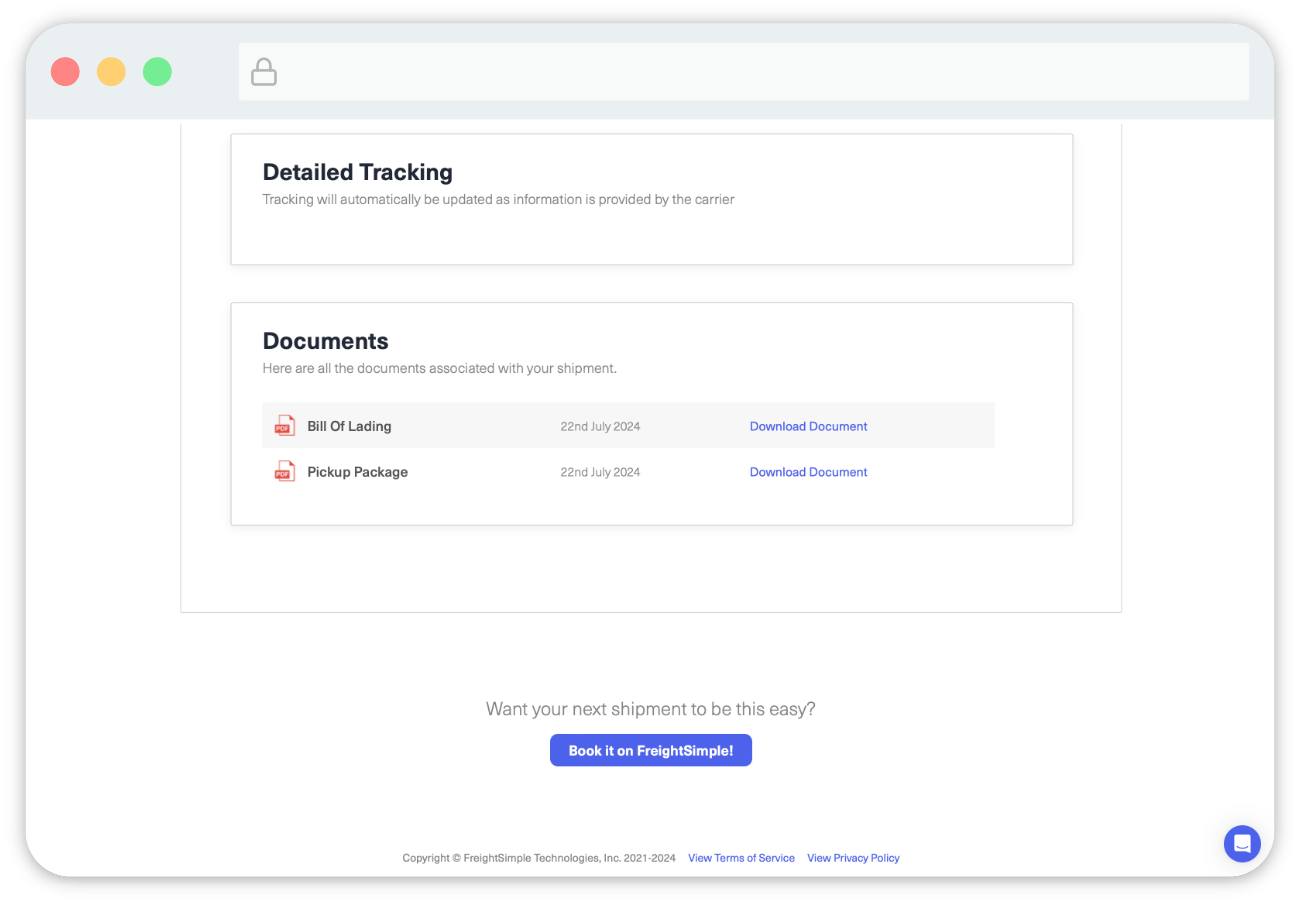
Send the link to whoever you would like to see the pickup information. They will see something like this.
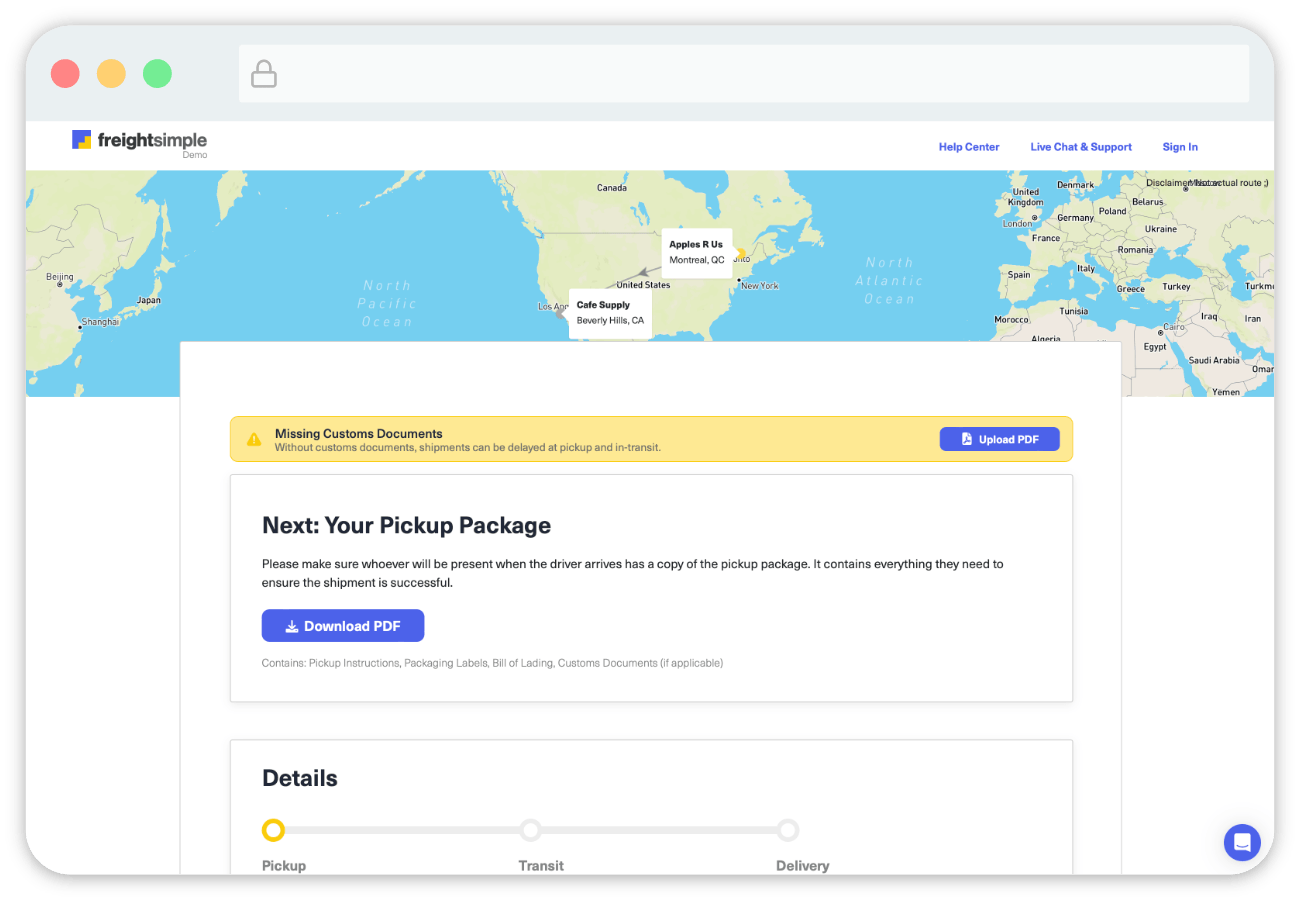
What your pickup contact sees
They only see the details of the shipment they need to perform the pickup.
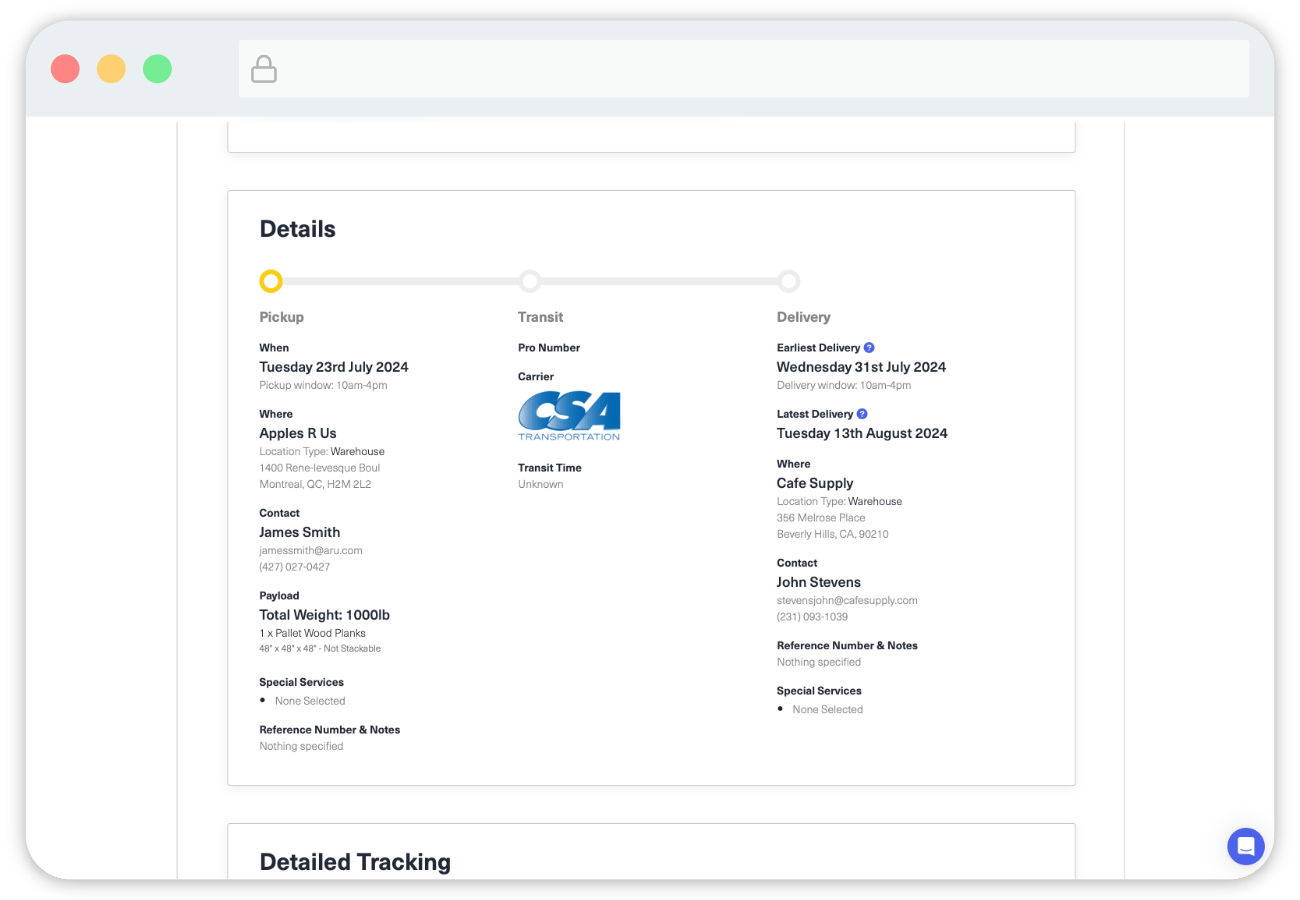
They also have access to the documents they need to complete the pickup.
Was this article helpful?
Thanks for letting us know.
What was missing?
Sorry about that. Our team can answer it directly: chat from the dashboard, email support@freightsimple.com, or call +1 (604) 200-2500.
Find who to contact